Stop treating your inbox like a filing cabinet
Email management habits can become surprisingly inefficient. Two common patterns stand out in particular: people who keep everything in their inbox, and people who carefully move every message into elaborate folder systems. Both approaches feel organized in the moment, but both ultimately create more friction than clarity.
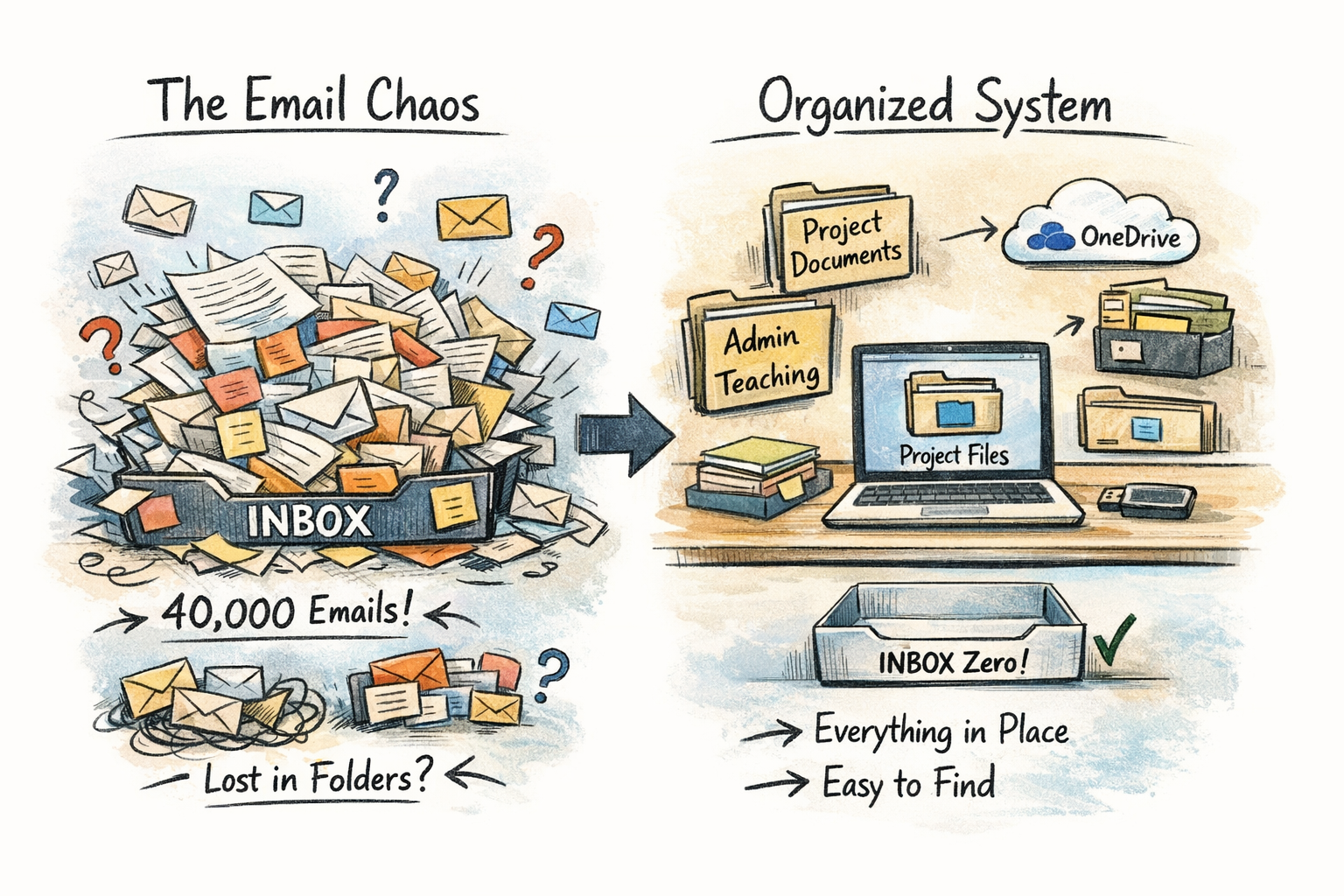
Imagine having a physical inbox tray on your desk containing 60,000 sheets of paper. You would never accept that level of clutter in the physical world, yet many professionals do exactly this with their digital inbox, leaving tens of thousands of emails freewheel in their inbox. At the same time, creating an intricate folder system inside your mailbox often just moves the clutter somewhere else. In both cases, the core issue remains the same: email is being used as a storage system instead of an inbox (which literally means, an arrival place and nothing more).
Instead of relying on inbox hoarding or endless folder hierarchies, it helps to rethink what email is actually for. Here are a few ideas that can make email management far more efficient:
- Don’t treat your inbox as storage: An inbox should function like a physical inbox tray: a temporary holding area for items that still require action. If messages stay there indefinitely, the inbox stops being useful.
- Avoid the “10,000 email” archive problem: Keeping every email in your inbox makes it nearly impossible to see what actually matters. Important tasks get buried under years of messages, and when you need to find that important email from 4 years ago, you also won’t be able to find it easily.
- Folder systems often duplicate your real information structure: Most researchers and professionals already organize their work by project folders on their computer or shared drives. Creating a different folder structure in your email means maintaining two separate systems.
- Move information to where it belongs: If an email contains important information, save the attachment or email file in the relevant project folder. This keeps all related information together. This part is the key to my email management system.
- Use email for communication, not archiving: Once the information from an email has been processed or stored properly, the message itself has often served its purpose.
- Aim for a processed inbox: Inbox zero is not about obsessively clearing messages; it simply means your inbox contains only items that still require attention. When an email contains an action that requires more time, I put the action on my calendar, store the email in the right folder within my single data architecture system, and address it as planned.
In the end, email becomes much easier to manage when it stops acting as a second filing cabinet. Keeping tens of thousands of messages in your inbox creates digital clutter, while elaborate folder systems duplicate structures that already exist elsewhere. By processing emails and moving the relevant information to your project files, you simplify your workflow and reduce the time spent managing your mailbox. Email then becomes what it was meant to be: a communication tool, not an archive.